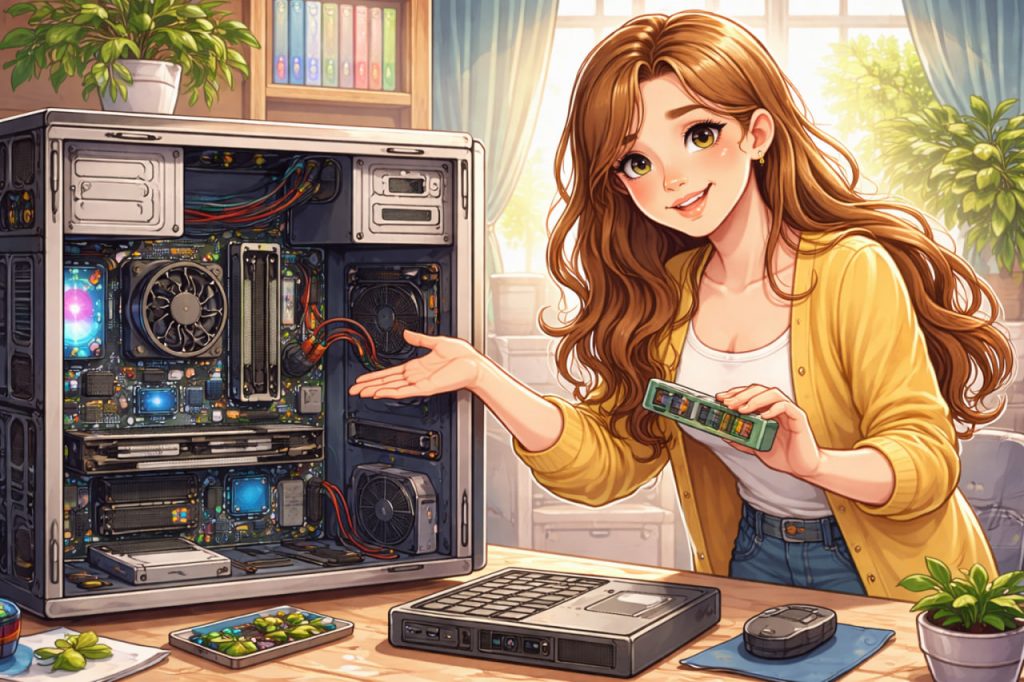
A computer may look complex, but at its core it is a logical machine designed to process information. Whether it is a laptop, desktop, or tablet, every computer follows the same basic principles: it receives input, processes data, stores information, and produces output. Understanding how a computer works does not require technical training—only a clear explanation of its main components and their roles. Once these basics are understood, computers stop feeling mysterious and become practical, predictable tools. This guide explains computer structure in simple terms, making it accessible even for complete beginners.
The Main Idea Behind Any Computer
At its heart, a computer is an electronic system that follows instructions. These instructions are called programs, and they tell the computer what to do step by step. A computer itself does not think or decide—it only executes commands written by humans. Everything you see on the screen, from text to images and videos, is the result of millions of tiny calculations happening every second. These calculations are performed by hardware components working together as a system. Understanding this cooperation is the key to understanding computers.
The Processor: The Computer’s Brain
The processor, also known as the CPU (Central Processing Unit), is often called the brain of the computer. It performs calculations, makes decisions, and controls the flow of data between components. Every action—opening a file, clicking a button, or playing a video—passes through the processor. Modern processors can perform billions of operations per second, allowing computers to feel fast and responsive. However, the processor does not work alone; it relies on memory and storage to function effectively.
Memory (RAM): Short-Term Workspace
RAM (Random Access Memory) is the computer’s short-term memory. It temporarily stores data that the processor needs right now. When you open a program, it is loaded into RAM so the processor can access it quickly. The more RAM a computer has, the more tasks it can handle at the same time without slowing down. When the computer is turned off, everything in RAM disappears. This is why unsaved work is lost during a power outage.
Storage: Long-Term Memory
Unlike RAM, storage keeps data permanently. This includes the operating system, programs, documents, photos, and videos. Hard drives and solid-state drives store information even when the computer is powered off. Storage is slower than RAM but much larger. When you turn on a computer, the operating system is loaded from storage into RAM, allowing the system to start and function. Storage acts like a digital filing cabinet for everything you want to keep.
Input Devices: How You Communicate With the Computer
Input devices allow users to send information to the computer. The most common examples are the keyboard and mouse, but microphones, webcams, and touchscreens are also input devices. Every click, keypress, or voice command is translated into signals the computer understands. These signals are then processed by the CPU. Input devices make interaction possible and turn user actions into data.
Output Devices: How the Computer Responds
Output devices present information back to the user. Screens display images and text, speakers produce sound, and printers create physical documents. What you see or hear is the final result of the computer’s internal processing. Output devices complete the communication loop between humans and machines. Without them, computers would process data silently and invisibly.
The Operating System: The Organizer
The operating system is the main software that manages the computer’s hardware and programs. It controls how memory is used, how files are stored, and how devices communicate with each other. The operating system provides the interface users interact with, such as windows, icons, and menus. Without an operating system, a computer would not be usable for everyday tasks. It acts as a translator between the user and the machine.
How Everything Works Together
All computer components work as a coordinated system. Input devices send data, the processor handles calculations, RAM holds active information, storage keeps files safe, and output devices display results. The operating system ensures that each part communicates correctly and efficiently. When this process is understood, computers become less intimidating and more logical. Even complex tasks are simply combinations of basic operations happening very quickly.
Interesting Facts
- A modern processor can perform billions of calculations per second.
- RAM is much faster than storage but loses data when power is off.
- The first computers filled entire rooms and had less power than smartphones today.
- Computers use binary code, made only of zeros and ones.
- Every image on a screen is built from tiny colored pixels.
Glossary
- CPU (Processor) — the component that performs calculations and controls operations.
- RAM — temporary memory used for active tasks.
- Storage — long-term memory for files and programs.
- Input Device — hardware used to send information to a computer.
- Operating System — software that manages hardware and user interaction.