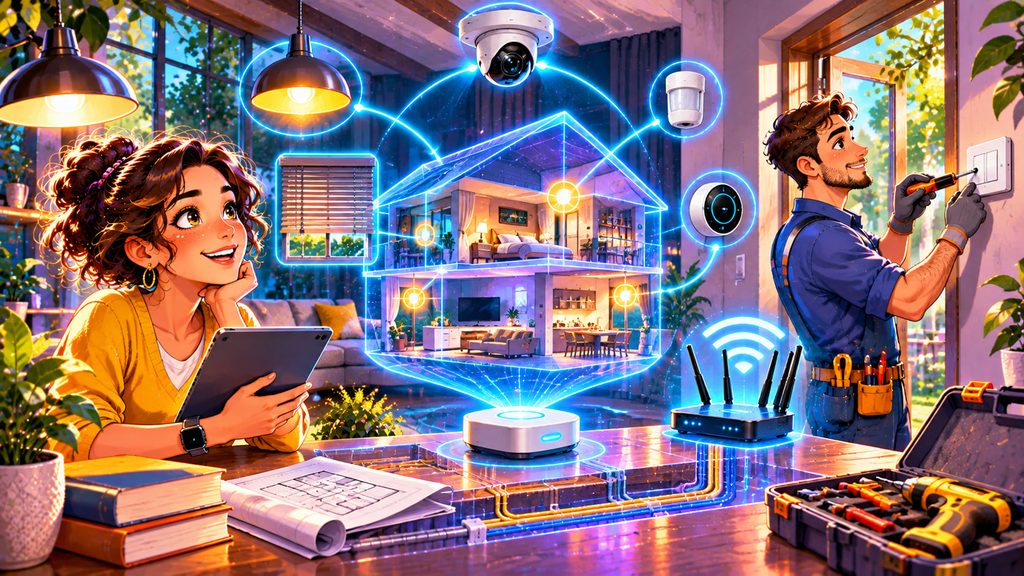
Imagine entering a home with welcoming lights and closing blinds. Then a lamp refuses to connect and three apps demand attention. Poor planning can create more work than it saves. The smartest decision happens before buying anything: design the system around your home and the people living in it.
You need not automate everything in sight. Choose useful tasks, understand connectivity, and leave room for changes. The principles apply to apartments and houses. A good smart home should remain comfortable and usable even when the internet stops working.
Start with Problems, Not Gadgets
Start by identifying three improvements you genuinely want. Maybe hallway lights should respond to movement, or heating should follow your weekly schedule. Perhaps a water sensor could alert you to leaks beneath the kitchen sink before major damage occurs. These goals are much clearer than collecting gadgets for their own sake.
Prioritize frequent routines that several residents use. Colorful bulbs are fun; reliable entrance lighting benefits everyone. Decide which tasks should run automatically and when people should make their own choices. Automation is successful when it quietly removes friction without taking control away from residents.
Choose an Ecosystem Before Choosing Products
A smart home ecosystem is the platform that brings equipment together into apps, scenes, and automations. Popular approaches include Apple Home, Google Home, Amazon Alexa, Samsung SmartThings, and Home Assistant. They differ in interfaces, supported devices, cloud services, and flexibility. Make sure everyone can operate essential features.
A hub or controller may coordinate compatible devices, but no single device works universally with every platform. Verify support for the exact model rather than trusting familiar branding. Choose between guided setup and customization. The most flexible systems may require more time to maintain.
Understand Matter, Thread, and Other Wireless Standards
Matter is a smart home interoperability standard intended to help compatible devices work across participating ecosystems. Updates during 2025 and 2026 expanded device categories and improved setup options. A published specification does not guarantee every product implements its features. Verify supported functions before buying.
Matter can communicate over Wi-Fi, Ethernet, or Thread, a low-power wireless mesh network designed for connected devices. Thread equipment needs a compatible border router to connect to the home network. Zigbee and Z-Wave often need separate compatible hubs. A Matter logo does not mean that a Zigbee-only device suddenly works without its required equipment.
Check Your Wi-Fi Before Installing Twenty Devices
Weak Wi-Fi will not become more reliable after adding several cameras and connected appliances. Check coverage indoors and at outside entrances. Video cameras generally require more bandwidth than simple temperature or motion sensors. Wired Ethernet is worth considering for equipment installed in permanent locations.
Some battery-powered sensors use low-power mesh networks instead of Wi-Fi. Reliability depends on range, placement, and repeaters. Thick walls and metal cabinets can weaken wireless connections unexpectedly. Test coverage before expanding.
Check the Wiring, Heating System, and Physical Controls
Smart switches are not always direct replacements for ordinary wall switches. Some need a neutral wire, while dimmers require compatible lights and suitable electrical loads. Older wiring, multiple-switch circuits, and local electrical codes can complicate installation. Use a qualified electrician for mains wiring.
Heating controls require particular attention before installation. One thermostat may not suit boilers, heat pumps, or electric floor heating. Cutting wall power to smart bulbs disables remote control. A reliable physical switch and manual override are more valuable than a beautiful app that nobody can use during an outage.
Decide What Must Work Without the Internet
Local control lets compatible devices and controllers communicate through the home network without contacting an external server for every action. Compatible routines can survive internet outages if local power and networking work. Cloud services may still power remote access or voice control. Check the distinction before installation.
Home Assistant founder Paulus Schoutsen advocates local control, privacy, and user choice. Consider which functions should never depend on cloud services. Test network and power failures. Avoid making essential lighting, locks, heating, or safety functions rely exclusively on a cloud automation.
Build Automations Around Real Household Behavior
A useful automation combines a trigger, conditions, and an action. A hallway light might activate after sunset when a motion sensor detects someone entering. A bedtime scene can dim several lamps and lower the thermostat together. Test a few routines before expanding.
Overlooked conditions are often responsible for frustrating surprises. A motion-triggered light might switch off while someone sits quietly reading, even though the room is occupied. Include manual overrides, sensible timeouts, and exceptions for everyday activities. Explain and refine routines with everyone.
Will a Smart Home Actually Save Energy?
Smart heating can reduce unnecessary energy use when schedules match occupancy and the heating equipment is compatible. ENERGY STAR-certified smart thermostats have demonstrated savings using real-world operating data. Savings vary with climate, insulation, and habits. Smart controls cannot fix poor insulation.
Energy-monitoring plugs can reveal devices that continue using electricity while apparently idle. Automated lighting can reduce wasted electricity in rooms where people forget the switches. However, connected electronics themselves consume some power, and complex routines may produce little benefit. Calculate savings from your own consumption.
Budget for the Entire System, Not Just the Starter Kit
Total cost of ownership includes hardware, wiring, controllers, replacement batteries, and subscriptions. Cameras may require paid video storage, while some advanced features depend on ongoing services. Software support periods also vary. Fewer, well-supported products may cost less over several years than a collection of cheap gadgets.
Consider what happens when a manufacturer stops supporting its app or cloud service. Check the manufacturer’s update policies and whether the device can migrate to another platform. Renters should favor reversible installations and seek permission before changing fixtures or locks. Renovators can prepare cables before closing walls.
Install in Stages and Test Everyday Failures
Begin with a single room or use case, such as hallway lighting. Verify compatibility, signal coverage, and operation from ordinary switches before adding complexity. Label controllers and keep setup details somewhere secure and accessible. Test internet outages, manual overrides, and controller restarts while the system is still small.
Build gradually after the first setup behaves reliably. Ask residents what helps or annoys them. Keep essential safety systems compliant with local requirements and independently functional where appropriate. A smart home succeeds when daily life becomes simpler. Which smart feature would you install first, and what problem should it solve? Share your plans in the comments.
Interesting Facts
- Matter is an interoperability standard, while Thread is a network technology that certain Matter devices can use.
- Thread-enabled devices require access to a compatible border router to connect with the broader home network.
- Matter updates in 2025 and 2026 expanded capabilities, but individual products do not automatically gain every feature.
- Local smart home automations can sometimes continue during an internet outage if local power and networking remain available.
- Some smart wall switches require a neutral conductor that older switch boxes may lack.
- Certified smart thermostats have demonstrated energy savings, but the amount varies between homes.
Glossary
- Smart Home Ecosystem — A platform connecting devices, controls, and automations.
- Hub — A controller or bridge that coordinates compatible smart devices.
- Matter — A standard designed to improve interoperability between smart home products.
- Thread — A low-power mesh networking technology used by some connected devices.
- Border Router — Equipment connecting a Thread network to other IP networks.
- Ethernet — A wired networking technology commonly used for dependable connections.
- Neutral Wire — A conductor providing a return path in many electrical circuits.
- Local Control — Operating compatible devices without relying on external cloud services.
- Automation — A rule that triggers an action when specified conditions are met.
- Scene — A saved combination of device settings activated together.
- Total Cost of Ownership — The full cost of buying, installing, operating, and maintaining a system.