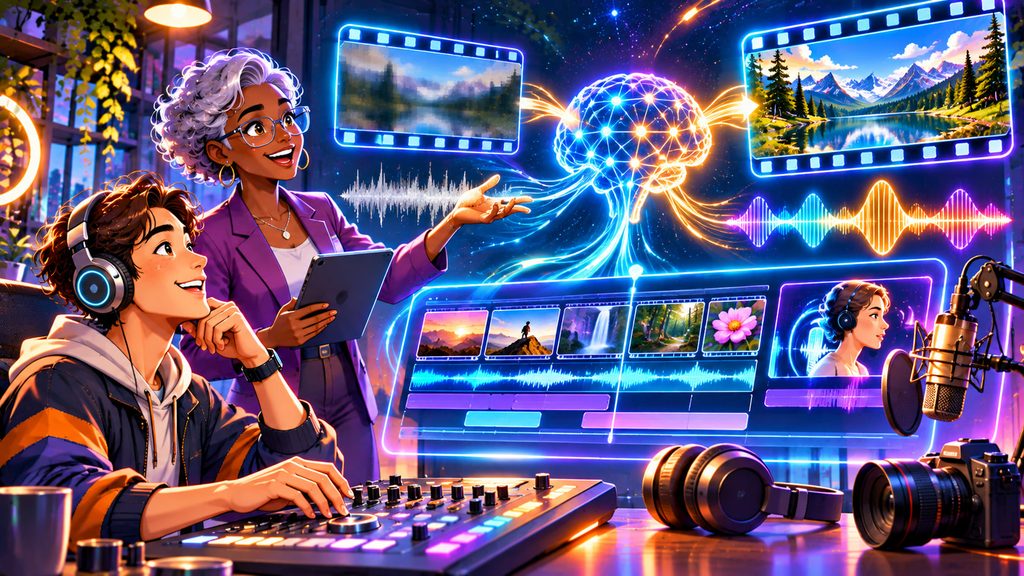
A noisy street interview once meant hours of audio repair. Now AI can isolate voices, generate captions, translate speech, and steady footage. The results can be impressive even on an ordinary laptop. The difference is software that recognizes patterns in sound and images.
Neural networks are reshaping podcast production, filmmaking, education, and family video restoration. They enhance recordings and generate new scenes, voices, and effects. A single project may use several distinct AI models. The biggest practical advantage is that jobs once requiring specialized equipment or tedious manual editing can often begin with a few clicks. Understanding the technology helps distinguish convincing results from faithful reconstructions.
How Do Neural Networks Understand Sound and Video?
A neural network learns statistical patterns from large collections of examples rather than following only hand-written instructions. Audio systems analyze digital signals, including changes in frequency and amplitude, while video systems examine images and their relationships over time. Some models recognize speech or objects; others predict missing information or create new content. Workflows may combine multiple specialist models.
An important distinction is between restoration and generation. Restoration tries to recover a cleaner or more usable version of an existing recording. Generation produces material that was not captured by the microphone or camera. The boundary blurs when software invents details to sharpen damaged footage.
Can AI Really Remove Background Noise From Speech?
Imagine recording an interview near a busy road. Traditional filters can remove parts of the voice alongside noise. AI-based noise reduction uses learned features of speech and unwanted sounds to separate them more selectively. It can suppress traffic, fan hum, or keyboard clicks while preserving much of the speaker’s intelligibility.
Adobe’s Enhance Speech and similar tools make this process accessible to everyday creators. Source separation distinguishes dialogue, music, and ambience. Yet severe overlap, distortion, or a microphone positioned too far away can still produce metallic-sounding voices or missing syllables. Good microphone placement remains valuable, even when powerful cleanup software is available.
Editing Spoken Audio by Editing Text
Automatic speech recognition converts recorded language into searchable text. Once a transcript has timestamps, an editor can find a sentence or remove a section without hunting through hours of waveforms. Text-based editing is especially useful for interviews, lectures, documentaries, and podcasts. The same transcript can form the basis of subtitles, chapter markers, or a searchable archive.
The process is not perfectly automatic. Names, accents, technical vocabulary, and simultaneous speakers can confuse transcription systems. A feature called speaker diarization attempts to identify when different people are speaking, but it can assign the wrong speaker. Important quotations still need human review.
How AI Restores Voices and Creates New Speech
Text-to-speech systems can turn written scripts into natural-sounding narration, with selectable pacing and speaking styles. Other tools can modify a recording’s delivery or recreate a voice from an authorized sample. This simplifies narration, accessible reading, and post-production corrections. They also help creators without quiet studios.
Voice cloning introduces a separate responsibility: a realistic imitation can mislead listeners if presented as genuine. Creators should obtain a speaker’s permission, follow applicable rights and privacy rules, and clearly identify synthetic speech when context requires it. It supports localization without requiring impersonation. A voice sounding authentic does not prove that a person actually said the words.
Can Neural Networks Make Blurry Video Look Sharp?
Video models remove grain, stabilize motion, and enlarge low-resolution footage. Super-resolution estimates fine details from learned patterns. This can improve old family videos and compressed clips. Some tools also smooth playback through frame interpolation, creating estimated frames between the originals.
These improvements have limits. A blurry face may look clearer because software has generated plausible facial texture, not recovered every original feature. Frame interpolation can create warped hands or unnatural motion when subjects cross or move rapidly. For historical or evidentiary material, retaining the untouched original is particularly important.
AI Can Find Objects and Speed Up Video Editing
A neural network can identify people, vehicles, or other objects across successive video frames. Editors use this for intelligent cropping, subject tracking, background replacement, and selectively adjusting colors. Semantic segmentation goes further by classifying image regions, helping separate a foreground subject from the surrounding scene. Tasks once requiring painstaking frame-by-frame masks can become substantially faster.
AI suites also organize footage and assemble rough cuts. Adobe Premiere provides speech enhancement, transcription, and generative extension tools, while DaVinci Resolve offers AI-powered audio mixing and other neural-engine features. These systems assist but do not replace editors. Creative choices about rhythm, meaning, and what to leave out still shape the final work.
Dubbing and Translation Across Languages
AI localization often combines transcription, translation, synthetic speech, and timing adjustments. A creator can record a lesson once and prepare versions for audiences who speak different languages. ElevenLabs Dubbing, for example, supports many languages and aims to preserve aspects of the original speaker’s vocal character. This reduces the effort needed to prepare multilingual versions of interviews and educational videos.
Accurate translation does not ensure natural delivery. Idioms, jokes, cultural references, and specialist terminology require attention, and translated sentences may not fit the original timing. Lip synchronization is a distinct problem: matching visible mouth movements to new speech. A dub may sound natural without automatically changing the speaker’s lips, so editors need to check which functions each service actually provides.
Generating Sound Effects and Entire Video Clips
Generative AI can create footsteps, rain, room ambience, or other sounds from written descriptions. It can also produce short visual sequences from text or reference images. Google’s Veo family has demonstrated video generation with synchronized sound, allowing scenes to include ambient effects and speech. Rather than merely retouching an existing shot, these models can synthesize imagery that was never filmed.
That helps create storyboards, inserts, and explainers. However, a convincing six-second clip is not automatically a coherent ten-minute film. Long scenes demand consistency of characters, locations, physical actions, and audio across many shots. Professionals often combine generated and filmed material.
A Practical AI Workflow for a Short Video
Suppose you filmed a five-minute science explainer using a phone. Start by preserving the originals, then transcribe the narration and identify the strongest sections. Clean the dialogue, remove distracting pauses, and add subtitles after checking their wording. Next, stabilize or crop distracting shots, adjust the sound mix, and only then consider generated graphics or missing background effects.
This order matters because an impressive visual cannot rescue a confusing explanation. Preview with headphones and on a phone to catch problems. Review every synthetic insert for continuity and accuracy. The strongest workflow uses AI to remove technical obstacles while leaving factual and editorial decisions with the creator.
What Should Creators Watch Out For?
AI-enhanced media can contain invented details, mistranscribed dialogue, or artificial-sounding audio. Deepfake impersonation and misleading footage introduce serious problems when synthetic content is passed off as real. Permission, disclosure, and protection of uploaded recordings are especially important when identifiable people are involved. Tools differ in privacy policies and licensing.
Content Credentials can describe how media was made or edited, but cannot guarantee its truth. Before publishing, compare important claims against original footage and inspect AI-generated details closely. Neural networks are transforming who can create polished sound and video, but credibility remains a human responsibility. Which would you find most valuable: cleaning old family recordings, translating your videos, or creating original scenes from an idea? Share your thoughts in the comments.
Interesting Facts
- AI transcription can turn hours of recorded speech into searchable text and timed captions.
- Noise-removal models can distinguish elements of speech from background sounds more selectively than simple frequency filtering.
- Super-resolution can create plausible details that were never present in the source recording.
- Frame interpolation produces new intermediate images rather than recovering genuinely recorded frames.
- Voice dubbing and lip synchronization are different technical tasks.
- Some modern video models generate sound and moving images together.
Glossary
- Neural Network — A system that learns patterns from examples.
- Restoration — Processing intended to improve or recover existing recordings.
- Generation — Creating new audio or visual content using a model.
- Noise Reduction — Suppression of unwanted sounds in a recording.
- Source Separation — Extraction of components such as voice, music, and background audio from a mixed signal.
- Automatic Speech Recognition — Speech-to-text technology.
- Speaker Diarization — Identifying when different speakers talk in an audio recording.
- Text-to-Speech — Synthesized speech from text.
- Voice Cloning — Generating speech that resembles a particular person’s voice.
- Super-Resolution — Enhancement that estimates fine details when increasing image resolution.
- Frame Interpolation — Generation of intermediate video frames.
- Semantic Segmentation — Classification of image regions.
- Lip Synchronization — Matching visible mouth movements with spoken audio.
- Generative AI — Models that synthesize new content based on learned patterns and instructions.
- Content Credentials — Metadata describing media origin and edits.