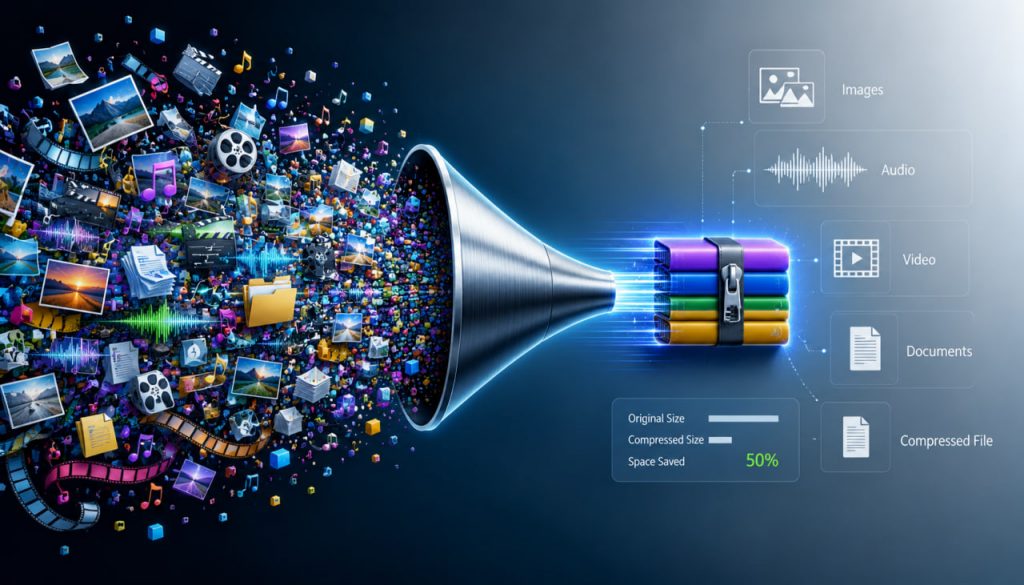
Data compression is one of the hidden miracles of the digital world. Every photo you send, every video you stream, every song you download, and every website you open depends on clever ways of making files smaller. Without compression, the modern internet would feel painfully slow, storage would be far more expensive, and high-definition video would be much harder to deliver.
The surprising part is that compression often works by removing information. A JPEG image may discard details your eyes are unlikely to notice. An MP3 file may remove sounds your ears probably cannot hear clearly. A streaming video may simplify areas of the picture that barely change from frame to frame.
Data compression works because not all information is equally important. Some details are essential. Others are repetitive, predictable, or invisible to human perception.
What Is Data Compression?
Data compression is the process of reducing the size of digital information.
It can be used for:
- Images
- Videos
- Music
- Documents
- Websites
- Software
- Games
- Medical scans
- Scientific data
- Backup archives
The goal is simple: store or transmit the same useful content using fewer bits.
A smaller file is easier to save, copy, upload, download, and stream.
Compression turns digital bulk into efficient digital packaging.
Why Compression Is Necessary
Modern files can be enormous.
A high-resolution photo contains millions of pixels. A movie contains thousands of frames. A song contains huge numbers of audio samples. A website may include images, scripts, fonts, videos, and design files.
Without compression, digital systems would need much more:
- Storage space
- Internet bandwidth
- Processing power
- Server capacity
- Mobile data
- Energy
Compression makes digital life affordable and fast.
It is one reason you can watch movies on a phone, send photos instantly, and store thousands of songs on a small device.
Lossless Compression: Smaller Without Losing Anything
Lossless compression reduces file size without permanently removing any original information.
When the file is decompressed, it returns exactly to its original form.
This is essential for data where every detail matters.
Lossless compression is used for:
- Text documents
- ZIP files
- Software
- Source code
- Spreadsheets
- Some medical images
- PNG images
- Legal and financial records
A simple example is repeated information.
Instead of storing:
“AAAAAAAAAA”
A system can store:
“10 A’s”
This saves space while preserving the exact meaning.
Lossless compression is like folding a paper carefully: nothing is destroyed, only packed more efficiently.
Lossy Compression: Smaller by Removing Details
Lossy compression reduces file size by permanently discarding some information.
The trick is to remove details that are less important or less noticeable.
Lossy compression is commonly used for:
- JPEG images
- MP3 audio
- AAC audio
- Streaming video
- Video calls
- Online images
- Social media uploads
This is how a large photo can become much smaller while still looking good.
The file is not identical to the original, but it appears close enough for normal use.
Lossy compression works because human perception has limits.
How JPEG Compression Shrinks Images
JPEG is one of the most common image compression formats.
It works especially well for photographs because photos contain gradual changes in color and brightness.
JPEG compression reduces file size by:
- Simplifying fine details
- Grouping similar colors
- Removing subtle visual information
- Preserving the most noticeable shapes and contrasts
At high quality settings, JPEG images can look almost identical to the original.
At low quality settings, problems become visible.
These may include:
- Blocky patterns
- Blurred details
- Color banding
- Strange edges around objects
JPEG does not preserve every pixel perfectly; it preserves what your eyes are most likely to care about.
How MP3 Removes Sounds You Do Not Notice
MP3 audio compression uses principles of human hearing.
The human ear does not perceive every sound equally.
Some sounds can hide others.
For example, a loud drum hit may make a quiet background sound impossible to notice at the same moment.
MP3 compression takes advantage of this by removing audio information that is less likely to be heard.
This is called psychoacoustic modeling.
The result is a much smaller audio file that still sounds acceptable to most listeners.
At very low bitrates, however, MP3 artifacts become obvious.
Music may sound metallic, flat, or distorted.
MP3 compression does not simply shrink music; it uses knowledge of how human hearing works.
Video Compression: The Real Giant
Video compression is even more important than image or audio compression.
A video is essentially a sequence of many images plus sound.
Uncompressed video would require massive storage and bandwidth.
Modern video codecs such as H.264, H.265, VP9, and AV1 reduce size by using several tricks.
They detect:
- Parts of the image that stay still
- Movement between frames
- Repeated patterns
- Similar colors
- Areas where detail is less noticeable
Instead of storing every frame completely, video compression often stores one full frame and then records changes between frames.
This is why streaming video can be delivered efficiently over the internet.
Video compression works because most frames are partly predictable from the frames before them.
Bitrate: The Quality and Size Trade-Off
Bitrate means how much data is used per second.
Higher bitrate usually means better quality but larger file size.
Lower bitrate means smaller files but more compression artifacts.
For example:
- A high-bitrate video looks sharper.
- A low-bitrate video may look blurry or blocky.
- A high-bitrate song sounds clearer.
- A low-bitrate song may lose depth and detail.
Compression is always a balance between size and quality.
The best compression is not the smallest file; it is the smallest file that still looks or sounds good enough.
Why Some Files Compress Better Than Others
Not all data is equally compressible.
Files with repeated patterns compress very well.
Examples include:
- Text
- Simple graphics
- Spreadsheets
- Logs
- Repetitive data
Files that are already compressed do not compress much more.
Examples include:
- JPEG images
- MP3 files
- MP4 videos
- ZIP archives
Random data is especially difficult to compress because it contains little predictable structure.
Compression depends on finding patterns.
No pattern means little opportunity to save space.
Expert Perspective
Information theorist Claude Shannon laid the foundation for modern data compression through his work on information theory in the twentieth century. Shannon showed that information has measurable limits and that communication systems can be analyzed mathematically.
His ideas helped define how much information a message really contains and how efficiently it can be encoded.
This matters because compression is not just a technical trick. It is based on a deep mathematical question:
What is the minimum amount of data needed to represent useful information?
Shannon’s work still influences telecommunications, file compression, cryptography, error correction, and digital media.
Compression and the Modern Internet
The internet depends on compression at every level.
Websites compress images.
Streaming platforms compress video.
Messaging apps compress photos.
Cloud services compress backups.
Browsers compress data transfers.
Mobile networks compress traffic to save bandwidth.
Without compression, many everyday services would become slower and more expensive.
Compression is one of the main reasons the digital world feels instant.
The Future of Data Compression
As digital content grows, compression becomes even more important.
Future compression technologies will support:
- 8K and higher-resolution video
- Virtual reality
- Augmented reality
- AI-generated media
- Cloud gaming
- Medical imaging
- Scientific simulations
- Satellite data
- Smart city sensors
Artificial intelligence is also being used to improve compression.
AI-based systems may learn which details matter most and reconstruct missing information more intelligently.
However, compression will always involve trade-offs between quality, speed, storage, and complexity.
The future of compression is not only smaller files, but smarter decisions about what information truly matters.
Interesting Facts
- JPEG compression is most effective for photographs, but less ideal for sharp text or simple diagrams.
- MP3 files became popular because they made music small enough to share and store easily.
- Video compression saves enormous bandwidth by storing changes between frames instead of every frame fully.
- ZIP files use lossless compression, meaning the original files can be perfectly restored.
- Random data is very hard to compress because it has few predictable patterns.
- Streaming services constantly adjust compression quality depending on internet speed.
- Claude Shannon’s information theory helped create the mathematical foundation for modern digital communication.
Glossary
- Data Compression – The process of reducing the size of digital information.
- Lossless Compression – Compression that preserves all original information exactly.
- Lossy Compression – Compression that permanently removes some information to reduce file size.
- JPEG – A common lossy image format widely used for photographs.
- MP3 – A common lossy audio format that reduces file size using principles of human hearing.
- Codec – Software or hardware that compresses and decompresses digital media.
- Bitrate – The amount of data used per second in audio or video.
- Compression Artifact – A visible or audible distortion caused by compression.