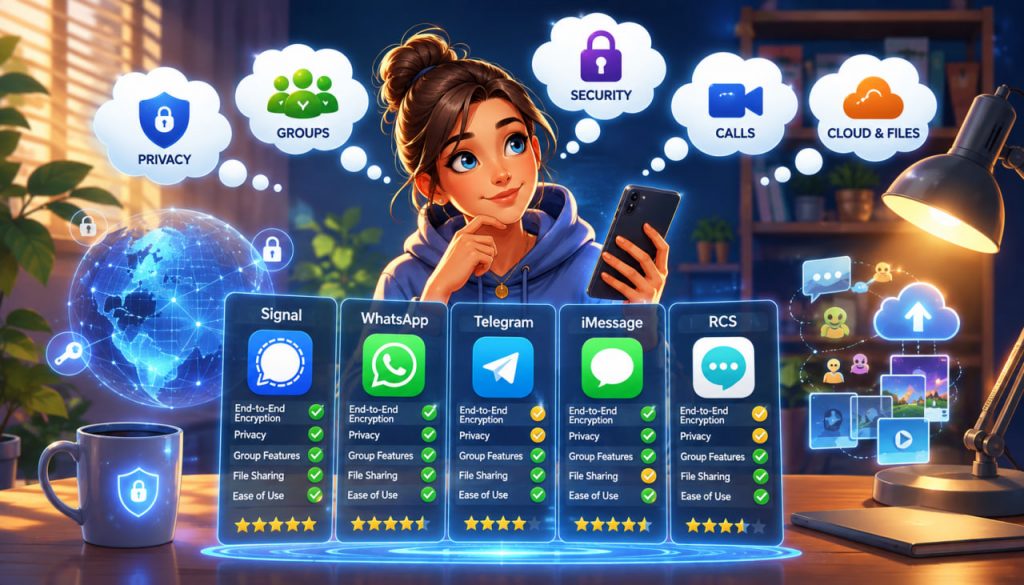
Choosing the best messaging app in 2026 is more complicated than downloading the platform with the longest feature list.
A messenger may offer excellent privacy but have few of your contacts. Another may be convenient and widely used but collect more account and usage data. A third may be ideal for large communities while being less suitable for sensitive private conversations.
For most people, the best strategy is not to rely on one universal messenger. It is to choose one primary app for everyday communication and a second app for privacy, communities, or work.
The Most Important Criteria in 2026
Before comparing individual apps, consider what actually matters.
A good messenger should offer:
- End-to-end encryption
- Reliable voice and video calls
- Protection against account theft
- Convenient multi-device access
- Useful group features
- Reasonable privacy settings
- Active security updates
- Enough users among your contacts
End-to-end encryption, often shortened to E2EE, means that messages are encrypted on the sender’s device and can be decrypted only on the recipient’s device.
This protection is especially important because ordinary telecom networks, cloud services, compromised accounts, and malicious intermediaries can expose communications.
CISA’s mobile communications guidance recommends using end-to-end encryption whenever possible and advises using RCS only when E2EE is enabled.
Signal: The Best Choice for Privacy
Signal remains the strongest general recommendation for private personal communication in 2026.
All Signal-to-Signal messages and calls are end-to-end encrypted by default. Signal states that neither the service nor outside parties can access their contents.
The app supports:
- Private individual chats
- Encrypted voice and video calls
- Disappearing messages
- Desktop access
- Usernames
- Group links and administrator controls
- Groups of up to 1,000 members
Signal’s group system is designed so that the service does not maintain a conventional record of group titles, membership lists, avatars, or group attributes.
The major disadvantage is adoption. Signal works best when your family, friends, or colleagues are willing to install it. It is less useful when most of your contacts communicate elsewhere.
Choose Signal when privacy is your highest priority, especially for personal conversations, journalism, sensitive work, medical discussions, or confidential planning.
WhatsApp: The Best Everyday Messenger for Most People
WhatsApp is often the most practical choice because many people already use it.
Personal messages and calls are protected with end-to-end encryption by default. WhatsApp also supports encrypted group conversations, voice and video calling, linked devices, communities, disappearing messages, and optional end-to-end encrypted cloud backups.
Its greatest advantage is convenience. Users can often contact relatives, clients, local businesses, schools, and international acquaintances without persuading them to install another app.
However, message encryption does not mean complete anonymity. Account information, contact relationships, device data, and communication patterns may still create metadata. Users should also check whether encrypted backups are enabled rather than assuming every cloud backup has identical protection.
Choose WhatsApp when you need the best balance of reach, ease of use, reliable calling, and default message encryption.
For many people, WhatsApp can serve as the primary messenger while Signal is reserved for more sensitive communication.
Telegram: The Best Choice for Channels and Large Communities
Telegram is extremely powerful, but it should not be confused with a privacy-first messenger in the same sense as Signal.
Its strongest features include:
- Groups with up to 200,000 members
- Broadcast channels with unlimited subscribers
- Large file sharing
- Bots and automation
- Fast search
- Extensive multi-device synchronization
- Public usernames
- Topics and moderation tools
Telegram allows standard files of up to 2 GB, or up to 4 GB for Premium users. Its cloud-based design makes conversations and media easily accessible across multiple devices.
The important limitation is encryption.
Regular Telegram private chats and groups are Cloud Chats. They use encryption between the user and Telegram’s servers, but they are not end-to-end encrypted. Only Secret Chats use end-to-end encryption, and those chats are device-specific rather than seamlessly synchronized through Telegram Cloud.
Telegram itself recommends Secret Chats for information involving serious personal-security concerns.
Choose Telegram for public channels, news feeds, large communities, bots, file sharing, and broad audience communication—not as the default place for highly sensitive group discussions.
Apple Messages and RCS: The Best Built-In Option
Apple Messages remains extremely convenient for people who mainly communicate within the Apple ecosystem.
iMessage conversations between compatible Apple devices use end-to-end encryption and integrate smoothly with iPhone, iPad, Mac, and Apple Watch.
Cross-platform communication has also improved through RCS, which offers richer media, better group conversations, typing indicators, and delivery information compared with traditional SMS.
In 2026, Apple and Google began rolling out end-to-end encrypted RCS messaging between supported Android and iPhone users. The rollout is gradual, remains dependent on compatible software and carriers, and may not yet protect every RCS conversation.
Users should therefore look for the lock or encryption indicator rather than assuming that every cross-platform conversation is protected.
Choose Apple Messages when most of your contacts use iPhones or when you prefer a built-in app, but verify encryption before sending sensitive information to Android users.
Which Messenger Is Best for Work?
Consumer messengers can work for small teams, but they are not always appropriate for formal business communication.
WhatsApp is practical for small companies, customer communication, and informal coordination. Telegram is useful for large audiences, community management, automated bots, and public broadcasting.
Signal may suit small teams that prioritize confidentiality, but it offers fewer organizational and administrative tools than dedicated workplace platforms.
Businesses may need additional features such as:
- Central account administration
- Employee access removal
- Compliance archiving
- Data-retention policies
- Corporate identity management
- Audit logs
- Integration with company software
For regulated or security-sensitive organizations, the best tool should be selected according to company policy rather than personal preference.
The Best Messenger for Different Users
There is no single winner for every situation.
For maximum privacy: Signal.
For everyday communication and the widest practical reach: WhatsApp.
For channels, communities, bots, and large file distribution: Telegram.
For communication inside the Apple ecosystem: Apple Messages.
For simple Android-to-iPhone texting: encrypted RCS, but only when the conversation clearly shows that encryption is active.
A sensible setup in 2026 is:
- WhatsApp or Apple Messages for ordinary communication
- Signal for private conversations
- Telegram for channels and large communities
This approach avoids forcing one application to perform tasks for which it was not designed.
Expert Perspective: Encryption Must Be the Default
Cybersecurity guidance increasingly emphasizes that users should prefer communication systems with end-to-end encryption enabled by default.
CISA recommends maximizing end-to-end encryption and specifically warns that RCS should be used for protected communication only when its encryption is active.
This highlights an important distinction: an app that supports encryption is not necessarily the same as an app that automatically encrypts every relevant conversation.
Signal and WhatsApp protect ordinary personal chats by default. Telegram requires users to deliberately create a Secret Chat for end-to-end encrypted text communication. RCS protection may depend on devices, software versions, carriers, and rollout status.
Security Settings You Should Enable
Even the strongest messenger cannot protect an unlocked phone or a stolen account.
Enable:
- A strong device passcode
- Biometric screen locking
- Two-step verification or a registration PIN
- Automatic software updates
- Encrypted backups where available
- Disappearing messages for sensitive conversations
- Security notifications or contact verification
- App-level screen locking
Never share login codes, registration codes, recovery keys, or PINs with someone who contacts you through a message.
Signal warns that its staff will never ask users to disclose a PIN, verification code, or recovery key.
Interesting Facts
- Telegram groups can contain up to 200,000 members, while channels can broadcast to an unlimited number of subscribers.
- Signal groups can support up to 1,000 members.
- Telegram Secret Chats are tied to their original devices and do not synchronize like ordinary Cloud Chats.
- WhatsApp offers optional end-to-end encrypted backups for Google Drive and iCloud.
- Encrypted RCS between Android and iPhone began rolling out in 2026, but availability is gradual.
- Strong encryption protects message content, but it cannot prevent a recipient from copying, photographing, or sharing what they receive.
Glossary
- Messenger — An application used to exchange messages, files, voice calls, or video calls over the internet.
- End-to-End Encryption — Encryption that allows only the communicating users’ devices to read the message content.
- Metadata — Information about communication, such as account identifiers, devices, timing, or contact relationships.
- RCS — Rich Communication Services, a modern mobile messaging standard designed to improve traditional SMS.
- Cloud Chat — A conversation stored and synchronized through a provider’s servers.
- Secret Chat — Telegram’s device-specific end-to-end encrypted private conversation mode.
- Disappearing Messages — Messages configured to be removed automatically after a selected period.
- Two-Step Verification — An additional security layer requiring more than a basic login code or password.
- Encrypted Backup — A stored copy of conversations protected so that unauthorized parties cannot read its contents.
- Multi-Device Support — The ability to use one messaging account on several phones, tablets, or computers.
- Channel — A one-to-many broadcasting space used to distribute messages to an audience.
- Phishing — An attempt to trick users into revealing passwords, verification codes, or other sensitive information.