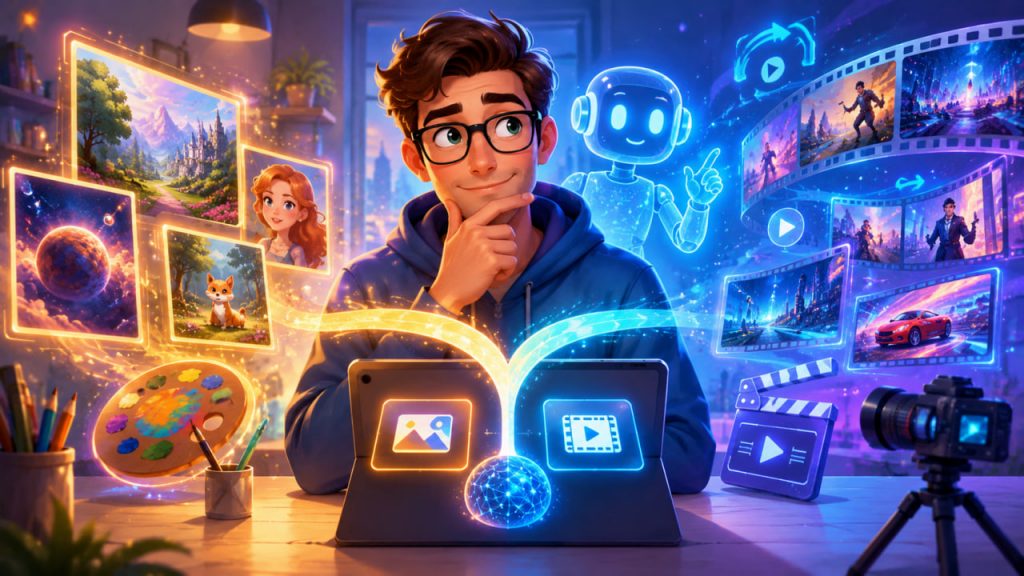
Choosing the best AI tool for images and video is no longer about finding “the most powerful model.” In 2026, the smarter question is: which neural network fits your creative workflow, budget, commercial risk, and publishing format?
AI image generators and AI video generators now serve very different needs. Some are excellent for cinematic visuals. Some are better for realistic product photos. Others are safer for commercial campaigns, stronger at text inside images, or easier for social media creators.
The best choice depends on what you want to create.
Start With Your Main Content Goal
Before choosing a tool, define the content type.
For blog illustrations, thumbnails, concept art, educational visuals, and polished cartoon images, an AI image generator is usually enough. It gives you higher control, faster output, and lower cost.
For TikTok videos, YouTube Shorts, ads, cinematic scenes, product demos, or animated storytelling, you need an AI video generator. These tools create movement, camera motion, transitions, and sometimes synchronized sound.
The biggest mistake is using one AI platform for everything. A strong visual workflow often combines several tools: one for image concepts, one for editing, and one for video animation.
Best AI Tools for Image Generation
For general image generation, the strongest options are usually Midjourney, ChatGPT image generation, Adobe Firefly, Ideogram, Google Gemini image tools, FLUX-based tools, Leonardo, and Stable Diffusion ecosystems. Recent professional comparisons consistently describe the market as workflow-driven rather than winner-takes-all, with different tools excelling at style, photorealism, text rendering, editing, or commercial safety.
Midjourney is a strong choice for artistic, cinematic, editorial, fantasy, and highly polished images. It is especially useful when visual beauty matters more than exact technical editing.
ChatGPT image generation is useful when you want natural-language control. You can describe changes conversationally, revise compositions, and connect images to written content ideas. That makes it practical for bloggers, educators, and website owners.
Adobe Firefly is one of the safest choices for businesses because Adobe presents Firefly as commercially safe and says qualifying business customers may receive IP indemnification for generated content, subject to terms.
Ideogram is a good option when you need images with readable text, such as posters, typography concepts, labels, or mockups. Many AI image models still struggle with clean text rendering, so this matters for marketing visuals.
FLUX and Stable Diffusion-based tools are better for advanced users who want more control, local workflows, model customization, privacy, or API integration. They require more technical knowledge but can be powerful for repeatable brand styles.
Best AI Tools for Video Generation
AI video generation is developing very quickly. The major names include Runway, Kling, Luma Dream Machine, Pika, Google Veo, Adobe Firefly video tools, PixVerse, Seedance, and Sora-related tools where available. Current video-generator comparisons usually rank tools by realism, motion quality, prompt control, vertical-video support, audio, and ease of use.
Runway is a strong option for creators, marketers, and teams that need an established video workflow. It is useful for ads, short scenes, stylized clips, and creative experimentation.
Kling is often discussed as a strong tool for human motion, social-style video, and realistic movement. It can be especially useful for short-form content where character motion matters.
Luma Dream Machine is useful for cinematic motion, creative camera moves, and image-to-video workflows.
Pika is often a practical choice for social creators who want quick, playful, shareable clips without a heavy production pipeline.
Google Veo is frequently positioned as a high-end option for realism and cinematic video generation. Several 2026 comparisons place Veo among the leading tools for video quality and native audio capabilities.
Sora availability should be checked before building a workflow around it. OpenAI’s own Sora page states that Sora 2 introduced video and audio generation, but also notes that the Sora product was no longer available as of April 26, 2026; OpenAI’s help article says Sora web and app experiences were discontinued on that date and the API is scheduled for discontinuation on September 24, 2026.
Best Choice for Bloggers and Website Owners
For website articles, blog covers, science-art illustrations, and SEO content, the best setup is usually:
ChatGPT image generation or Midjourney for main illustrations.
Use these when you want attractive, polished, conceptual visuals.
Adobe Firefly for brand-safe commercial assets.
Use it when legal risk and business usage matter more than maximum artistic drama.
Ideogram for text-heavy visuals.
Use it when you need readable words inside the image.
Runway, Kling, Pika, or Luma for short video posts.
Use these for turning article topics into short educational videos, reels, or animated explainers.
For your type of project, where the image style is bright, polished, cartoon-like, educational, and science-oriented, ChatGPT image generation or Midjourney would be the strongest first choice for images. For video, Runway or Kling would be practical starting points, while Veo-style tools may be better for more cinematic production.
Best Choice for Commercial Brands
Commercial use changes the decision.
A beautiful image is not enough. You need to consider training data policies, copyright risk, licensing terms, likeness rights, and whether the platform offers business protections.
This is where Adobe Firefly becomes important. Adobe states that Firefly is designed to be safe for commercial use and that qualifying plans may include IP indemnification.
For businesses, a practical workflow is:
Use Firefly for official campaigns, branded assets, client work, and safer commercial production.
Use Midjourney or ChatGPT image generation for ideation, moodboards, concepts, and high-impact visual exploration.
Use Runway, Veo, Kling, or Luma for video drafts, social clips, and campaign testing.
For serious commercial projects, always read the current license terms of the platform before publishing. AI tool policies change quickly.
Best Choice for Social Media Content
For TikTok, Instagram Reels, YouTube Shorts, and quick promotional videos, speed matters.
You need tools that support:
- Vertical video
- Fast generation
- Image-to-video
- Human movement
- Short clip creation
- Easy revisions
- Export-friendly formats
For this use case, Pika, Kling, Runway, Luma, and PixVerse are practical options. Comparisons of 2026 video tools often highlight Kling for human motion, Runway for creator workflows, Pika for budget-friendly social content, and Veo for realism and cinematic quality.
The best workflow is to create a strong still image first, then animate it. This gives you more control over character design, colors, composition, and branding.
Expert Perspective
The most useful expert view today is not that “one model wins.” It is that AI content creation has become an ecosystem.
Digital Camera World’s 2026 guide evaluates image tools by realism, prompt adherence, editability, commercial safety, and ethical concerns, showing that creators should compare tools by workflow needs rather than raw image quality alone.
That is the right mindset: choose the model according to the job, not according to hype.
Recommended Simple Setup
For most creators, the best beginner-friendly setup is:
Images: ChatGPT image generation or Midjourney.
Commercial-safe design: Adobe Firefly.
Text inside images: Ideogram.
Short videos: Runway, Kling, Pika, or Luma.
Cinematic video: Veo-style tools or high-end Runway/Kling workflows.
Advanced local control: FLUX or Stable Diffusion.
If you want one simple answer: choose ChatGPT image generation or Midjourney for pictures, and Runway or Kling for video. Add Adobe Firefly when commercial safety becomes important.
Interesting Facts
- AI image tools are often better than video tools for creating clean, detailed characters.
- Many creators generate a still image first, then animate it with an image-to-video model.
- Text inside AI-generated images is still difficult for many models, which is why specialized tools like Ideogram matter.
- Commercial safety is not only about image quality; it also includes licensing, training data, and indemnification terms.
- Video generation is harder than image generation because the model must keep objects, faces, lighting, and physics consistent across time.
- Open-source video research is advancing quickly; projects such as Open-Sora show that high-quality video generation is becoming more accessible.
Glossary
- AI Image Generator — A tool that creates images from text prompts, reference images, or editing instructions.
- AI Video Generator — A tool that creates moving video from text, images, or existing footage.
- Prompt — The instruction given to an AI model.
- Image-to-Video — A workflow where a still image is animated into a moving clip.
- Text-to-Video — A workflow where a written prompt becomes a generated video.
- Commercial Safety — The degree to which generated content can be safely used in business or client work.
- IP Indemnification — A legal protection where a provider may help cover certain intellectual property claims, depending on terms.
- Prompt Adherence — How accurately an AI model follows the user’s instructions.
- Photorealism — A visual style that looks like real photography.
- Open-Source Model — A model or system whose code, weights, or technical resources may be publicly available for modification or local use.