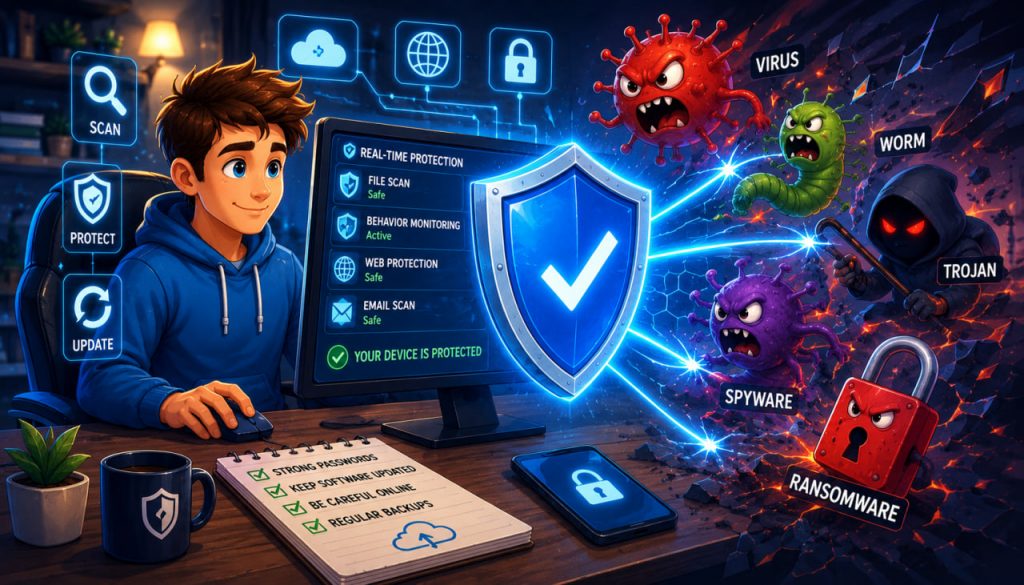
Antivirus software is one of the most familiar cybersecurity tools, yet many users are unsure what it actually does. Modern antivirus programs do much more than search for traditional computer viruses. They monitor files, applications, downloads, memory, and system activity for many forms of malicious software.
This broader category includes ransomware, spyware, worms, Trojans, keyloggers, and other threats designed to steal information, damage files, spy on users, or take control of a device.
Antivirus software acts as a defensive layer that detects, blocks, isolates, and sometimes removes malicious code before it can cause serious harm.
What Is Antivirus Software?
Antivirus software is a security program designed to identify malicious code, prevent it from infecting a system, and remove threats that have already entered it. This definition reflects the modern role of antivirus tools as general anti-malware systems rather than products that stop only classic viruses.
Antivirus protection may be built into an operating system or installed as a separate application.
For example, Windows includes Microsoft Defender Antivirus, while macOS includes built-in malware protection through technologies such as XProtect.
Modern antivirus programs commonly protect:
- Desktop computers
- Laptops
- Smartphones
- Servers
- Email attachments
- Downloaded files
- External storage devices
- Web browsing sessions
The exact features depend on the operating system and the security product.
What Types of Threats Can Antivirus Detect?
The word “virus” describes only one type of malicious program. A computer virus usually attaches itself to another file and spreads when that file is executed.
Today, antivirus software may detect a much wider range of malware.
A Trojan pretends to be legitimate software while carrying out harmful activity.
A worm can spread across systems or networks without attaching itself to an ordinary file.
Spyware secretly collects information about the user, while a keylogger may record keyboard input to steal passwords or financial details.
Ransomware encrypts files or blocks access to systems and demands payment for their restoration. NIST defines ransomware as a malicious attack in which an attacker encrypts an organization’s data and demands money to restore access.
Antivirus tools may also identify potentially unwanted applications, malicious scripts, suspicious browser extensions, cryptocurrency miners, and software that attempts to disable security controls.
Signature-Based Detection
One of the oldest antivirus methods is signature-based detection.
A malware signature is a recognizable pattern associated with a known malicious file or piece of code. It may be based on a sequence of bytes, a file characteristic, a rule, or another identifying feature.
When the antivirus scans a file, it compares its contents against a database of known malware signatures.
When a match is found, the software can block, quarantine, or delete the file.
CISA explains that antivirus software looks for patterns based on the signatures or definitions of known malware.
Signature detection is fast and effective against previously identified threats. However, it has an important limitation: a completely new or significantly modified threat may not yet have a matching signature.
This is why antivirus databases must be updated regularly.
Heuristic and Anomaly Detection
Modern antivirus programs do not rely only on known signatures.
Heuristic analysis searches for suspicious characteristics that are common in malicious software. For example, a program may attempt to modify protected system files, hide its processes, inject code into another application, or automatically copy itself.
The antivirus may flag such a file even when its exact signature is not in the database.
Anomaly detection looks for activity that differs from expected patterns. Microsoft states that its antivirus technology combines machine learning, large-scale data analysis, threat research, and cloud infrastructure to identify both known and emerging threats.
These methods can detect new malware variants, but they may occasionally produce a false positive, incorrectly identifying a legitimate file as dangerous.
Behavioral Monitoring
Behavioral monitoring watches what software does while it is running.
This is important because a file may appear harmless when stored on a disk but begin performing suspicious actions after execution.
Antivirus software may monitor whether a program:
- Changes security settings
- Encrypts many files rapidly
- Creates unauthorized processes
- Connects to suspicious servers
- Modifies startup settings
- Attempts to steal stored credentials
- Disables backups or security tools
Microsoft explains that behavior monitoring detects emerging threats by examining real-time actions rather than relying exclusively on known signatures.
For example, if an unknown program suddenly begins encrypting hundreds of personal documents, behavioral protection may interrupt the process before every file is affected.
Real-Time Protection and Manual Scanning
Most antivirus products offer real-time protection.
This means the program runs in the background and examines files when they are downloaded, opened, copied, or executed. It may also monitor applications and system processes continuously.
Microsoft describes its built-in Windows protection as continuously scanning devices for potential threats and taking action to neutralize them.
Users can also perform manual scans.
A quick scan usually checks memory, startup locations, system folders, and other common infection areas.
A full scan examines a much larger portion of the device and can take considerably longer.
A custom scan allows the user to select a particular folder, drive, archive, or external storage device.
What Happens When Malware Is Found?
When antivirus software identifies a threat, it does not always delete it immediately.
The program may first block the file and move it into quarantine. Quarantine is an isolated location where the suspicious file cannot run normally or interact with the rest of the system.
The user or security administrator may then choose to:
- Delete the file
- Restore it if it was incorrectly detected
- Submit it for further analysis
- Allow it under a specific exception
- Run additional remediation tools
Some infections require more than deleting one file. Malware may create scheduled tasks, alter browser settings, install additional components, or modify the operating system.
A modern antivirus may therefore attempt to reverse related changes and remove associated files.
Cloud-Based Threat Analysis
Many current antivirus systems use cloud services to analyze suspicious files and activities.
The local device may send file characteristics, hashes, behavioral information, or selected samples to a remote security platform. The cloud service can compare this information with data collected from many other devices and threat-research systems.
This allows security vendors to identify spreading attacks faster than would be possible using only a local signature database.
However, cloud protection depends on connectivity and appropriate privacy settings. Users and organizations should review what information the product collects and how it is processed.
Why Antivirus Updates Matter
Malware constantly changes. Attackers modify existing threats, create new delivery methods, and attempt to avoid detection.
Antivirus updates may include:
- New malware signatures
- Improved detection rules
- Software-engine fixes
- Behavioral models
- Vulnerability corrections
- Removal instructions
CISA recommends enabling automatic updates for antivirus software and its malware signatures, particularly as part of ransomware protection.
An antivirus program that is installed but outdated may provide significantly weaker protection.
The operating system, browser, and other applications must also be updated because antivirus software cannot fully compensate for unpatched vulnerabilities.
Can Antivirus Guarantee Complete Security?
No antivirus product can detect every threat or prevent every attack.
Malware can exploit unknown vulnerabilities, use stolen credentials, manipulate users through phishing, or operate through legitimate administrative tools.
Antivirus may also be bypassed when a user deliberately disables warnings, grants excessive permissions, or installs software from an untrustworthy source.
NIST recommends using antivirus as one part of a wider malware-prevention strategy that may also include firewalls, content filtering, intrusion-prevention systems, application controls, security updates, and incident-response planning.
Effective protection also requires:
- Strong, unique passwords
- Multi-factor authentication
- Reliable backups
- Regular software updates
- Caution with links and attachments
- Limited administrator privileges
- Secure network settings
Antivirus is an important safety layer, not a replacement for careful digital behavior.
Expert Perspective
CISA advises users to install antivirus software from a reputable provider and keep it active because malicious files may be checked whenever executable content runs.
NIST takes a similarly layered view. Its malware guidance identifies antivirus as a major technical control while emphasizing that organizations need additional preventive and response measures.
This reflects a central principle of cybersecurity: strong protection comes from several overlapping defenses rather than dependence on a single application.
How to Choose Antivirus Software
Start by checking what protection is already included with your operating system.
Then compare security products according to practical criteria:
- Real-time malware protection
- Automatic updates
- Ransomware protection
- Phishing and malicious-site blocking
- Performance impact
- Privacy policy
- Independent testing results
- Ease of use
- Customer support
- Compatibility with existing security tools
Avoid running multiple full antivirus products with real-time scanning simultaneously unless their vendors explicitly support that configuration. Competing security engines may interfere with one another, reduce performance, or create system instability.
For most users, a well-maintained built-in security system combined with safe browsing, updates, backups, and strong authentication provides a solid foundation.
Interesting Facts
- The term antivirus remains common even though modern products detect many types of malware besides viruses.
- Signature detection works somewhat like matching a fingerprint against a database of known threats.
- Some antivirus tools can detect suspicious behavior before a new threat receives an official name.
- Quarantined files are isolated so they cannot operate normally.
- macOS and Windows both include built-in malware-protection technologies.
- Cloud-based analysis can help security providers recognize rapidly spreading attacks.
- A false positive occurs when safe software is mistakenly classified as malicious.
- Backups remain essential because antivirus cannot guarantee recovery from every ransomware incident.
Glossary
- Antivirus — Software that detects, blocks, and removes malicious code.
- Malware — A general term for software designed to harm, spy on, disrupt, or take control of a system.
- Virus — Malware that attaches itself to another file and spreads when that file runs.
- Trojan — Malicious software disguised as a legitimate program or file.
- Worm — Malware capable of spreading automatically between systems or networks.
- Ransomware — Malware that encrypts information or blocks access and demands payment.
- Spyware — Software that secretly collects information about a device or user.
- Signature — A recognizable pattern used to identify known malware.
- Heuristic Analysis — Detection based on suspicious characteristics rather than an exact known signature.
- Behavioral Monitoring — Real-time observation of software actions to identify malicious activity.
- Quarantine — An isolated storage area for suspicious or infected files.
- False Positive — A legitimate file or activity incorrectly classified as dangerous.
- Real-Time Protection — Continuous monitoring that checks files and applications as they are accessed.
- Firewall — A security system that controls incoming and outgoing network traffic.
- Multi-Factor Authentication — Login protection requiring more than one form of verification.