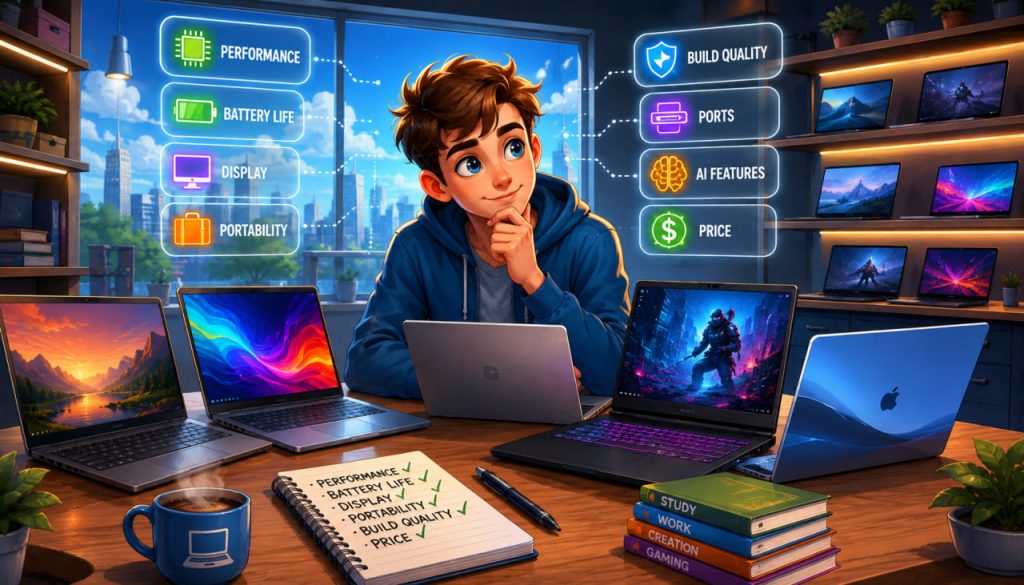
Choosing the best laptop in 2026 is more complicated than comparing processor names or buying the most expensive model available. Modern laptops differ significantly in battery life, display quality, artificial intelligence features, repairability, graphics performance, and software compatibility.
The right choice depends on what you plan to do with the computer, how often you travel, and how many years you expect to keep it.
For most buyers, a balanced laptop with 16 GB of memory, a 512 GB solid-state drive, a modern efficient processor, and a high-quality display offers the best combination of performance and longevity.
Start With Your Main Use Case
Before comparing individual models, decide what the laptop must accomplish.
A student who primarily uses a browser, office applications, and video calls does not need the same hardware as a video editor, software developer, engineer, or competitive gamer.
Most buyers fall into five broad categories:
- Everyday users who browse, stream, shop, and manage documents
- Students who need portability and long battery life
- Business users who prioritize reliability, security, and connectivity
- Creative professionals who need accurate displays and strong graphics
- Gamers who require a dedicated graphics processor and effective cooling
Buying substantially more performance than you need increases the price, weight, heat, and sometimes power consumption without necessarily improving your daily experience.
Choose the Right Operating System
The operating system affects software compatibility, hardware selection, and the way the laptop feels in everyday use.
Windows 11 offers the widest variety of laptop designs, prices, processors, graphics options, and business applications. It is usually the safest choice for gaming, engineering programs, specialized corporate software, and users who want extensive hardware flexibility.
Apple’s macOS is especially attractive to people already using an iPhone or other Apple devices. In 2026, Apple’s MacBook range includes the MacBook Air with the M5 chip and MacBook Pro models intended for more demanding professional workloads. The MacBook Air remains focused on portability, quiet operation, and everyday productivity.
ChromeOS can work well for basic education, browsing, cloud applications, and lightweight office tasks. However, buyers should confirm that all required applications are available before choosing a Chromebook.
Select the software ecosystem first and the physical laptop second. A powerful computer is still the wrong purchase when it cannot run the programs you need.
How Much RAM Do You Need in 2026?
For a new general-purpose laptop, 16 GB of RAM should be considered the practical starting point.
It provides enough capacity for browser tabs, office applications, communication tools, streaming, and moderate photo editing. An 8 GB configuration may still handle very basic tasks, but it offers less flexibility for future software and heavier multitasking.
Choose 24 GB or 32 GB when you regularly use:
- Professional photo or video editing applications
- Large development environments
- Virtual machines
- Engineering or architectural software
- Local artificial intelligence models
- Large datasets
Gamers should generally target at least 16 GB, while demanding creators and developers may benefit from 32 GB or more.
Check whether the memory is upgradeable. Many thin laptops have RAM permanently attached to the motherboard, making the original configuration especially important.
Select Enough Storage
A 512 GB solid-state drive is the most sensible minimum for many buyers. It provides more flexibility than a 256 GB drive after the operating system, applications, updates, personal files, and temporary data are installed.
A 1 TB drive is preferable for gaming, video production, large photo libraries, or long-term ownership.
Cloud storage and external drives can expand capacity, but they are not always as convenient as having sufficient internal storage. Also verify whether the laptop’s SSD can be replaced or upgraded later.
Understand Modern Laptop Processors
Processor names have become increasingly complicated. Instead of focusing only on model numbers, examine the complete laptop.
Modern mobile processors combine several components:
- CPU cores for general computing
- Integrated graphics for visual workloads
- Media engines for video processing
- Neural processing units for AI tasks
- Power-management systems for battery efficiency
Current Windows laptops may use Intel Core Ultra, AMD Ryzen AI, or Qualcomm Snapdragon platforms. Intel’s newer Core Ultra families emphasize efficiency, integrated graphics, and AI acceleration, while AMD’s Ryzen AI processors combine CPU, graphics, and dedicated neural-processing capabilities.
Microsoft defines Copilot+ PCs as Windows computers with compatible hardware, at least 16 GB of memory, 256 GB of storage, and a neural processing unit capable of more than 40 trillion operations per second.
However, an NPU should not be the only reason to buy a laptop. Keyboard quality, screen, battery life, ports, cooling, and application compatibility remain more important for most daily work.
Do You Need a Dedicated Graphics Card?
Integrated graphics are sufficient for browsing, office work, streaming, programming, basic design, and light gaming.
A dedicated GPU becomes important for:
- Modern games at higher settings
- 3D rendering
- Complex animation
- Professional video effects
- CAD and architectural visualization
- Some machine-learning workloads
NVIDIA’s GeForce RTX 50 Series Laptop GPUs are the company’s current high-performance mobile graphics family, with models ranging from the RTX 5050 to the RTX 5090 Laptop GPU. They support hardware-accelerated ray tracing, AI processing, creative applications, and DLSS technologies.
Remember that two laptops using similarly named GPUs can perform differently because manufacturers configure them with different power limits and cooling systems.
Pay Attention to the Display
The display affects every minute spent using the laptop.
A resolution around 1920 × 1200 is adequate for mainstream productivity. Higher-resolution screens can make text and images sharper but may increase power consumption.
Look for:
- Comfortable brightness
- Good viewing angles
- Accurate colors
- A 16:10 aspect ratio for productivity
- An anti-reflective finish when working near windows
- A high refresh rate for gaming or smoother motion
OLED displays provide excellent contrast and deep blacks, making them attractive for entertainment and creative work. Traditional IPS displays may offer better affordability and, depending on the model, excellent brightness and battery efficiency.
Creators should look beyond marketing terms and check independent measurements of color accuracy and color-space coverage.
Battery Claims Need Real-World Verification
Manufacturer battery estimates are useful for comparison, but they are produced under specific test conditions.
Actual endurance changes with screen brightness, processor workload, background applications, video calls, gaming, wireless connectivity, and power settings.
A thin productivity laptop may last through a working day, while a high-performance gaming laptop can require its charger much sooner during demanding use.
Independent battery tests are more informative than the battery-capacity number alone. Efficiency, display technology, software optimization, and processor configuration all influence the final result.
Ports, Keyboard, Webcam, and Build Quality Matter
Small practical details often determine whether a laptop remains pleasant to use.
Check for the ports you need, including USB-C, USB-A, HDMI, a memory-card reader, and a headphone connection. Some USB-C ports support charging but not high-speed data or external displays, so read the specifications carefully.
Try the keyboard and touchpad when possible. Examine webcam quality, microphone performance, hinge stability, charger size, fan noise, and the location of ventilation openings.
A lightweight laptop is convenient, but reducing weight can mean fewer ports, less cooling capacity, or a smaller battery.
Expert Perspective: Consider Repairability
Repairability specialists at iFixit recommend looking beyond initial specifications and considering whether important components can be replaced. Their buying guidance highlights the value of accessible batteries, storage, memory, manuals, and spare parts when selecting a computer intended to last.
In 2026, iFixit awarded a perfect repairability score to newer repair-focused Lenovo ThinkPad T-series designs. Modular Framework laptops have also been recognized for allowing owners to replace or upgrade numerous components.
A replaceable battery or SSD may provide more long-term value than a minor processor upgrade.
Recommended Specifications for Most Buyers
A strong mainstream configuration in 2026 includes:
- A recent Apple, AMD, Intel, or Qualcomm processor
- 16 GB of RAM
- A 512 GB SSD
- A 13- to 15-inch display
- At least 1920 × 1200 resolution
- USB-C charging
- Wi-Fi 6E or newer connectivity
- A good keyboard and webcam
- Verified all-day battery performance for mobile users
Students and office users can prioritize portability and battery life. Gamers should prioritize the GPU, cooling, and display refresh rate. Creators should invest in memory, storage, screen accuracy, and sustained performance.
Mistakes to Avoid When Buying a Laptop
Do not choose a laptop based on the processor name alone. The display, cooling, battery, memory, and construction can make two apparently similar machines feel completely different.
Avoid paying for features you will never use, but do not purchase the absolute minimum configuration when you expect to keep the computer for several years.
Also verify the warranty, regional keyboard layout, charger type, repair options, and return policy before paying.
The best laptop in 2026 is not the machine with the longest specification list. It is the one that matches your real workload while leaving enough capacity for future needs.
Interesting Facts
- Modern AI-focused laptops contain an NPU designed to run certain machine-learning tasks more efficiently than a conventional CPU.
- Microsoft requires a Copilot+ PC to provide more than 40 TOPS of NPU performance.
- Apple’s 2026 MacBook Air generation uses the M5 chip and is available with 13-inch and 15-inch displays.
- Some compact laptops have permanently installed memory, so their RAM cannot be upgraded later.
- Dedicated laptop GPUs with identical names may deliver different performance depending on power and cooling limits.
- Repairable laptops can allow the battery, storage, keyboard, ports, or even motherboard to be replaced.
- A higher-resolution screen is not automatically better because it may cost more and use additional battery power.
Glossary
- CPU — The central processor responsible for general calculations and application performance.
- GPU — A processor designed for graphics, gaming, rendering, video effects, and parallel computing.
- NPU — A specialized processor that accelerates artificial intelligence and machine-learning tasks.
- RAM — Short-term working memory used by active applications and files.
- SSD — Fast solid-state storage used for the operating system, applications, and personal data.
- TOPS — Trillions of operations per second, a measurement commonly used for AI-processing performance.
- Integrated Graphics — Graphics hardware built into the main processor or system chip.
- Dedicated GPU — A separate graphics processor with its own computing resources and usually dedicated video memory.
- OLED — A display technology in which individual pixels produce their own light, creating deep blacks and strong contrast.
- Refresh Rate — The number of times a display updates its image each second, measured in hertz.
- Repairability — The degree to which a device can be opened, maintained, upgraded, and repaired.