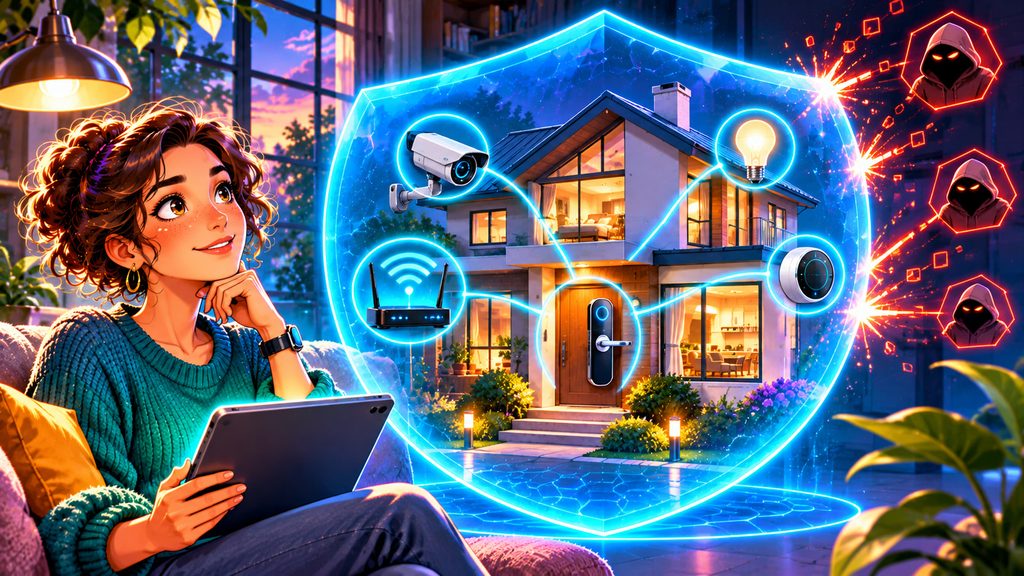
Your front door unlocks from a phone, your thermostat learns your schedule, and a camera lets you check on the house while traveling. These conveniences also create opportunities for intrusion. A stolen password might expose private video or compromise connected equipment. Smart home security is less about buying a mysterious cybersecurity gadget and more about controlling who—and what—has access.
Modern homes combine routers, cloud accounts, and wireless devices. Each connection needs protection. Fortunately, useful precautions do not require advanced technical skills. The goal is to make common attacks difficult while keeping your household’s devices manageable.
Why Are Smart Homes Attractive to Hackers?
Smart bulbs, speakers, cameras, and doorbells are examples of the Internet of Things (IoT): connected objects that exchange information over networks. Some store sensitive data; others control locks and alarms. A compromised camera could reveal private activities, but a poorly protected router might expose multiple devices at once. Attackers can also take advantage of stolen accounts without directly breaking into a device.
An important distinction is that not every unusual device behavior means someone has hacked it. Software bugs and incorrect automations may look suspicious. Know which devices you own, how they connect, and who controls them. A connected home is only as trustworthy as its weakest important connection.
Secure the Router Before Anything Else
Your router links devices to one another and often to the internet, making it a critical security boundary. Change its administrator password and enable automatic firmware updates where supported. Choose WPA3 Wi-Fi security when compatible, or WPA2-AES when older equipment requires it. Avoid obsolete WEP protection and replace routers that no longer receive security fixes.
Turn off router administration from the internet unless you specifically need it. Consider disabling Universal Plug and Play (UPnP) if it is not required, because it can automatically create network access paths. Check the router’s device list for unfamiliar entries. If your internet provider manages the router, ask how it handles updates and administrative access.
Use a Separate Network for Smart Devices
Network segmentation means dividing devices into groups with restricted access between them. Some routers offer an IoT network that separates gadgets from sensitive computers. That can restrict an attacker who compromises one product. The router must actually isolate the devices, not merely rename the network.
There is one practical complication: some smart home equipment relies on local discovery and communication between devices. Putting a hub and its accessories on isolated networks can interfere with setup or daily control. Follow the manufacturer’s connectivity requirements and test automations after making changes. A workable network layout is safer than a theoretically perfect arrangement that users constantly bypass.
Protect Every Account with Strong Authentication
Weak or reused passwords are among the simplest ways to lose control of connected devices. Use a unique password for your router, camera service, smart lock account, and other important platforms. A password manager makes this manageable. Enable multifactor authentication (MFA) to add verification beyond a password.
Prefer a passkey or authenticator app when supported, while retaining secure recovery options. Never share verification codes with unsolicited callers. Review which family members, guests, and former residents still have access to devices. Revoking an old invitation can matter just as much as setting a strong password.
Keep Devices Updated—and Know When Support Ends
Manufacturers release security updates to repair vulnerabilities discovered after products go on sale. Enable automatic updates where possible, including for smart speakers, hubs, cameras, and companion apps. Review the maker’s published support period before purchasing a device. A camera without security patches becomes harder to protect.
NIST cybersecurity researcher Julie Haney emphasizes practical protections suited to everyday life. She recommends secure routers, updated devices, and careful privacy settings. If a product reaches its end of support, replacing it or disconnecting it may be the sensible choice. A factory reset does not restore updates that a manufacturer no longer provides.
Give Cameras and Smart Locks Extra Attention
Exposed camera accounts create serious privacy risks. Use unique credentials, MFA, current firmware, and any available access logs or alerts. Position cameras carefully and check where recordings are stored. Consider covering or switching off indoor cameras during private activities.
For smart locks, limit temporary codes, remove access that is no longer needed, and enable alerts for unexpected unlocking events. Keep a reliable backup entry method for power failures. Avoid sharing primary access credentials with service providers. Devices that affect physical safety deserve stricter controls than ordinary decorative gadgets.
What Does Matter Change About Smart Home Security?
Matter is a smart home interoperability standard developed by the Connectivity Standards Alliance. It includes device identity checks and encrypted communication intended to help secure devices during setup and normal operation. Some compatible products can communicate locally. These design choices can reduce some risks associated with incompatible or poorly integrated systems.
A Matter logo cannot guarantee that cloud accounts or apps are secure. A vulnerable router or poorly protected smartphone can still compromise the overall setup. Check a manufacturer’s update policy and privacy practices even when its products support modern standards. Good technology design supports responsible security habits rather than replacing them.
Reduce Unnecessary Access and Data Collection
Every enabled feature creates another responsibility. Turn off unused microphones, remote access options, integrations, and third-party account links when you do not need them. Check app data collection, recording retention, and access permissions. A device that works locally may offer additional privacy advantages, although local operation alone does not guarantee security.
Examine automation and app permissions. A lighting service rarely needs broad access to your contacts, for example. Periodically remove devices you no longer use and delete associated cloud data where appropriate. These habits reduce the home’s attack surface, the possible routes for intrusion.
What Should You Do If Your Smart Home Is Hacked?
Unexpected logins, camera movements, or lock events deserve investigation. Secure the affected account using a trusted device, change the password, revoke active sessions if supported, and enable MFA. Disconnect or isolate suspicious devices while checking official manufacturer recovery instructions. Update firmware or perform a manufacturer-guided reset after preserving evidence.
If a smart lock or alarm may be compromised, prioritize physical safety and seek appropriate professional assistance. Check whether the same password was reused on other services. Inform household members so they do not unknowingly restore access. Find out how access was gained to prevent recurrence.
A safe smart home does not require constant fear or endless complicated settings. Start with a supported router, separate device access where practical, update software, and protect accounts with strong authentication. Revisit permissions whenever someone moves in, moves out, or receives a new device. Which smart home feature would you protect first: the cameras, front-door lock, or the network connecting everything? Share your thoughts in the comments.
Interesting Facts
- A hacker can sometimes enter a smart home through a stolen cloud-account password without attacking the device directly.
- A guest Wi-Fi network offers meaningful isolation only when the router restricts communication between connected groups.
- Smart home products may continue functioning after their manufacturers stop providing security updates.
- Matter includes cryptographic device authentication and encrypted communications, but it does not protect every third-party service.
- A router’s remote administration feature is different from controlling a smart device remotely through its authorized application.
- Factory-resetting an unsupported device does not fix newly discovered security flaws.
Glossary
- Internet of Things (IoT) — Physical objects that exchange data through computer networks.
- Firmware — Software built into a device that controls its basic functions.
- Universal Plug and Play (UPnP) — Networking technology that lets devices automatically discover services and request connections.
- Network Segmentation — Separating connected devices into groups to limit unnecessary communication.
- Multifactor Authentication (MFA) — Login protection requiring two or more forms of verification.
- End of Support — The point when a manufacturer stops providing specified maintenance or security updates.
- Matter — A smart home interoperability standard with built-in security mechanisms.
- Attack Surface — The total set of possible entry points and interactions an attacker could exploit.