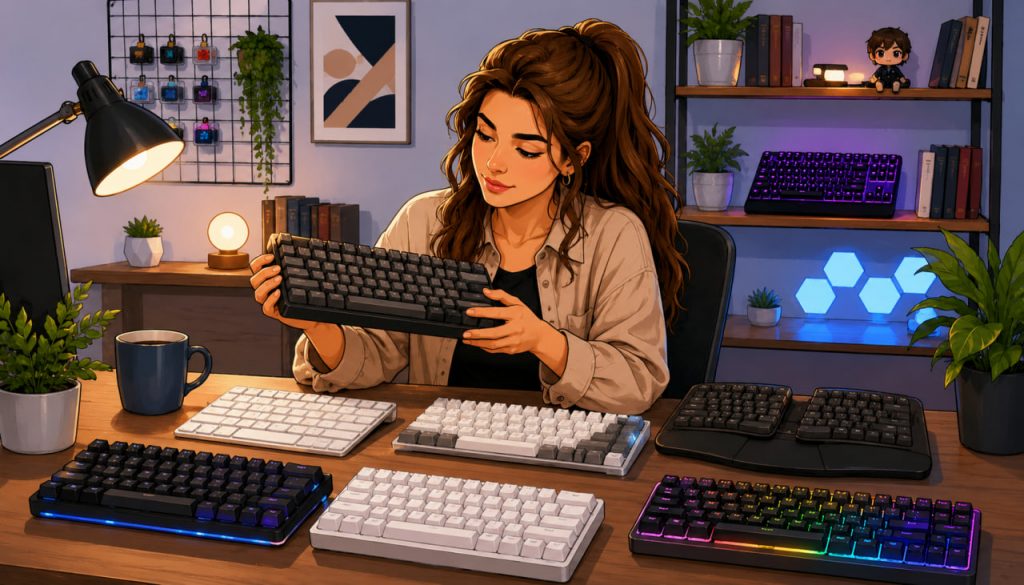
A keyboard is one of the most important parts of any computer setup. Whether you use a PC for gaming, programming, office work, content creation, or everyday browsing, the keyboard directly affects comfort, typing speed, accuracy, and long-term ergonomics.
Modern keyboards have evolved far beyond simple input devices. Today’s market includes mechanical keyboards, membrane models, wireless systems, ergonomic layouts, RGB lighting, customizable switches, and advanced gaming technologies.
But with so many options available, how do you choose the right keyboard for your needs?
Why Choosing the Right Keyboard Matters
People often underestimate how much time they spend using a keyboard.
A poor keyboard can cause:
- Hand fatigue
- Wrist discomfort
- Reduced typing accuracy
- Slower workflow
Meanwhile, a well-designed keyboard improves:
- Comfort
- Productivity
- Gaming responsiveness
- Long-term typing experience
For professionals and gamers who spend many hours at a computer, the difference becomes especially noticeable.
The Main Types of Keyboards
Modern PC keyboards generally fall into several categories.
Membrane Keyboards
Membrane keyboards use rubber or silicone layers beneath the keys.
Advantages:
- Quiet operation
- Lower cost
- Lightweight design
Disadvantages:
- Less precise feedback
- Shorter lifespan
- Softer key feel
These keyboards are common in offices and budget setups.
Mechanical Keyboards
Mechanical keyboards use individual physical switches beneath each key.
Advantages:
- Better tactile feedback
- Faster response times
- Longer durability
- Greater customization
Mechanical keyboards are especially popular among:
- Gamers
- Programmers
- Writers
Technology reviewer Linus Sebastian once noted:
“A good mechanical keyboard can completely change how typing feels.”
Many users describe the experience as more satisfying and precise.
Understanding Keyboard Switches
Switches determine how keys feel and sound.
Mechanical switches are typically divided into:
- Linear switches
- Tactile switches
- Clicky switches
Linear Switches
- Smooth movement
- Fast keypresses
- Popular for gaming
Tactile Switches
- Slight bump during activation
- Balanced for typing and gaming
Clicky Switches
- Audible click sound
- Strong tactile feedback
- Preferred by some typists
The choice depends heavily on personal preference.
Wired vs Wireless Keyboards
Modern wireless technology has improved dramatically.
Wired Keyboards
Advantages:
- Stable connection
- No battery concerns
- Lower latency
Often preferred for competitive gaming.
Wireless Keyboards
Advantages:
- Cleaner desk setup
- Portability
- Flexibility
Modern wireless keyboards now offer excellent responsiveness for most users.
Keyboard Size and Layout
Keyboard size affects both comfort and desk space.
Full-Size Keyboards
Include:
- Number pad
- Function row
- Navigation keys
Best for office work and productivity.
Tenkeyless (TKL)
Removes the number pad to save space.
Popular among gamers because it allows more mouse movement room.
Compact Keyboards
Smaller layouts such as:
- 75%
- 65%
- 60%
These designs maximize portability and minimalism.
Ergonomics and Wrist Health
Ergonomics are increasingly important for people who spend long hours typing.
Good ergonomic features include:
- Wrist rests
- Adjustable angles
- Split keyboard layouts
- Comfortable key spacing
Poor typing posture over time may contribute to:
- Wrist strain
- Finger fatigue
- Repetitive stress injuries
Choosing a comfortable keyboard can improve long-term health.
Gaming Keyboards and Performance
Gaming keyboards often include specialized features:
- Fast response switches
- RGB lighting
- Macro customization
- Anti-ghosting technology
Anti-ghosting allows multiple simultaneous key presses without missed inputs.
While some gaming features are mainly cosmetic, high-quality gaming keyboards can improve responsiveness and comfort during long sessions.
RGB Lighting: Useful or Just Decoration?
RGB lighting has become extremely popular in modern keyboards.
Benefits may include:
- Better visibility in dark rooms
- Visual customization
- Game-specific lighting profiles
However, many users choose RGB mainly for aesthetics rather than functionality.
Build Quality and Materials
Higher-quality keyboards often use:
- Aluminum frames
- Double-shot keycaps
- Premium switches
Better materials improve:
- Durability
- Typing feel
- Stability
Cheap keyboards may wear out quickly or develop inconsistent key behavior over time.
Hot-Swappable Keyboards and Customization
Some modern keyboards allow users to replace switches without soldering.
This enables:
- Personal customization
- Easy repairs
- Experimentation with different typing feels
The custom keyboard community has grown rapidly in recent years.
Which Keyboard Is Best for Different Users?
For Office Work
- Quiet tactile or membrane keyboard
- Comfortable ergonomic design
For Gaming
- Mechanical keyboard with fast switches
- Low latency connection
For Typing and Writing
- Tactile mechanical switches
- Comfortable layout
For Travel and Minimalism
- Compact wireless keyboard
The best keyboard depends on usage style rather than marketing alone.
Why Keyboards Continue to Evolve
Although keyboards seem simple, they remain central to human-computer interaction.
Future developments may include:
- AI-assisted typing
- Adaptive layouts
- Haptic feedback systems
- Flexible or virtual keyboards
Even as technology changes, the keyboard remains one of the most important tools for digital productivity.
Interesting Facts
- Mechanical keyboard switches can last tens of millions of key presses.
- The QWERTY layout was originally designed for typewriters.
- Some custom keyboards are entirely handmade by enthusiasts.
- Ergonomic keyboards are designed to reduce wrist strain.
- Compact keyboards are increasingly popular among gamers and programmers.
Glossary
- Mechanical Keyboard — A keyboard using individual mechanical switches beneath each key.
- Latency — Delay between key press and system response.
- RGB Lighting — Customizable multicolor keyboard illumination.
- Anti-Ghosting — Technology allowing multiple simultaneous key presses to register correctly.
- Ergonomics — Design focused on comfort and reducing physical strain.